If you use JSON UDFs in MySQL 5.6 there are a few things to consider before upgrading to MySQL 5.7. From a schema perspective, if you have JSON stored in text columns you can decide when to convert those columns to the new JSON datatype after you upgrade, but due to namespace collisions and format differences it’s probably not safe to upgrade without dropping some or all of the existing UDFs and updating your queries that use those UDFs.
Recently I upgraded some MySQL databases from 5.6 to 5.7, but - for boring reasons unique to my environment - I had to leave one replica on version 5.6. I knew there was a chance that the 5.7 -> 5.6 replication wouldn’t work, but I decided to try it out to see if (and why) it would fail. Once I upgraded the master, replication failed, so I checked the error log on the replica and found these messages:
12
[ERROR] Slave I/O: Found a Gtid_log_event or Previous_gtids_log_event when @@GLOBAL.GTID_MODE = OFF. Error_code: 1784
[ERROR] Slave I/O: Relay log write failure: could not queue event from master, Error_code: 1595
The error surprised me a little bit since I’m not using GTIDs in that replication topology. I asked around a bit, and Kenny Gryp hypothesized that I might be experiencing MySQL bug #74683, which was fixed in version 5.6.23. Since my replica was on 5.6.22, I decided to do an incremental 5.6 upgrade to see if that resolved the issue. I upgraded to 5.6.31 and replication started working.
YMMV and there are certainly bound to be 5.7 -> 5.6.31 replication scenarios that don’t work, but this was a simple fix for me. In hindsight it makes sense that replicating from a new major version to an older major version is more likely to work with a more recent minor version, so if I have to do this in the future I’ll make sure the replica is running the latest minor version before upgrading the master.
Recently I experimented with column-level privileges in MySQL. Column-level privileges are fairly straightforward, but given how infrequently they are used I think there are a few areas worth discussing.
Here are a few high-level observations:
Users can execute INSERT and UPDATE statements that affect columns they don’t have privileges on, as long as they rely on implicit defaults
Since SQL is row-based, it doesn’t make sense to support column-level DELETE privileges, thus only SELECT, INSERT, and UPDATE are supported
You can grant privileges on multiple columns in one GRANT statement or multiple GRANT statements, the results are cumulative
Read on for more details on each type of column-level privilege, along with example queries.
I’ve seen some confusion on what constitutes a keyword or a reserved word in MySQL. The manual defines them, and has a complete list. Reserved words are a special subset of keywords, and you can’t use a reserved word as an identifier unless you quote it with backticks. I discourage the use of backticks to quote identifiers, because it allows you to use lots of words and characters in your identifier that you’ll probably regret later. For example:
12345678910
mysql> create table `You will regret this!` (`(╯°□°)╯︵ ┻━┻` int);
Query OK, 0 rows affected (0.03 sec)

mysql> desc `You will regret this!`;
+--------------------------------+---------+------+-----+---------+-------+
| Field                          | Type    | Null | Key | Default | Extra |
+--------------------------------+---------+------+-----+---------+-------+
| (╯°□°)╯︵ ┻━┻                 | int(11) | YES  |     | NULL    |       |
+--------------------------------+---------+------+-----+---------+-------+
1 row in set (0.00 sec)
There is also an exception for table names. You can use a reserved word as a table name without quoting it with backticks as long as you prefix it with the schema name, but again I would discourage that. Here’s an example:
1234
mysql> create table table (id int);
ERROR 1064 (42000): You have an error in your SQL syntax; check the manual that corresponds to your MySQL server version for the right syntax to use near 'table (id int)' at line 1
mysql> create table test.table (id int);
Query OK, 0 rows affected (0.04 sec)
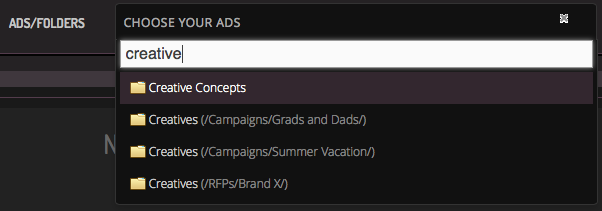
Recently I worked on a feature that involved displaying a list of Folders using an auto-complete field. A simple enough task, but one that had a bit of complexity behind it. For starters, each organization in our system has their own “folder hierarchy”, or a tree structure of folders, that could be one to many layers deep. The second thing being that the UI we wanted - auto-complete - meant that we would need to “search” through the folders to find a match (based on the user’s input) as well as display the path information (where the folder lives) so that the user can differentiate folders if they happen to have the same or similar name. Since it was auto-complete, the searching also needed to be fast or else the user experience would be annoying.
A wise man once said that the safest way to store date and time values in MySQL is to store Unix timestamps in an unsigned INT column. I agree with Baron, but most of us have to deal with DATE, DATETIME, and/or TIMESTAMP values sometimes, and it’s often useful to know how to convert values from one time zone to another.
The CONVERT_TZ() Function
You can convert a temporal value in MySQL from one time zone to another using the CONVERT_TZ() function. As an example, say I want to watch the Boston Marathon in Melbourne, Australia but I’m afraid it may be on after my bed time. The elite men start at 10:25 AM on April 18, 2016. Boston’s time zone will be EDT that day, which is UTC-4. Melbourne’s time zone that day will be AEST, which is UTC+10. The following query will tell me what time the Boston Marathon starts in Melbourne:
My argument for preferring CONVERT_TZ() is that it makes the query much more readable. In the first example it’s clear that I am converting a time from UTC-04:00 to UTC+10:00, whereas in the second example there’s no way to tell from the query why I’m adding 14 hours.
When MySQL released performance_schema it made a lot of new useful information available, but it wasn’t particularly user-friendly. The introduction of the MySQL SYS schema made it a lot easier for developers and DBAs to get useful insights from performance_schema. I was talking to some brogrammers the other day, and while they admitted that SYS schema is “totally legit”, they wished that it “spoke their language”.
To that end, I am happy to announce MySQL BRO schema. It’s a natural complement to SYS schema, and makes it easier for brogrammers to work with performance_schema.
Read on for a few examples of the BRO schema in action.
Maintaining partitioned tables in MySQL can be tedious. In a reporting database that uses monthly date partitions, I’ve found that I can simplify many frequent partition operations using the common_schemaQueryScript language. Below I will describe two specific examples.
Google’s new Accelerated Mobile Pages project introduces a lot of new challenges for web page creation and design. It also presents some small challenges to Flite as an ad serving platform. The two ways in which the AMP project and its specfications interfere with our usual way of serving ads is through the restriction of written or external JavaScript and by serving ads through external iframes.
No JavaScript
Our platform, like many others, generally delivers its content to the page via a <script> tag. Google restricts the inclusion of <script> elements on AMP pages in the name of protecting the user experience and improving the loading efficiency of the pages. Instead, they require ads to be loaded via specially provisioned <amp-ad> elements over which the AMP runtime has control and whose contents can be loaded asynchronously based on that runtime’s logic. Accordingly, we had to develop a new way to deliver our ads to the page which fit in with this paradigm. On the face, this is very simple:
This tag looks much different and simpler than our usual ad tags. It works in conjunction with the AMP Project’s ad library. The AMP runtime’s 3p/integration.js module loads in the flite.js module which then controls how our ads are served into AMP pages where an <amp-ad> tag is included.